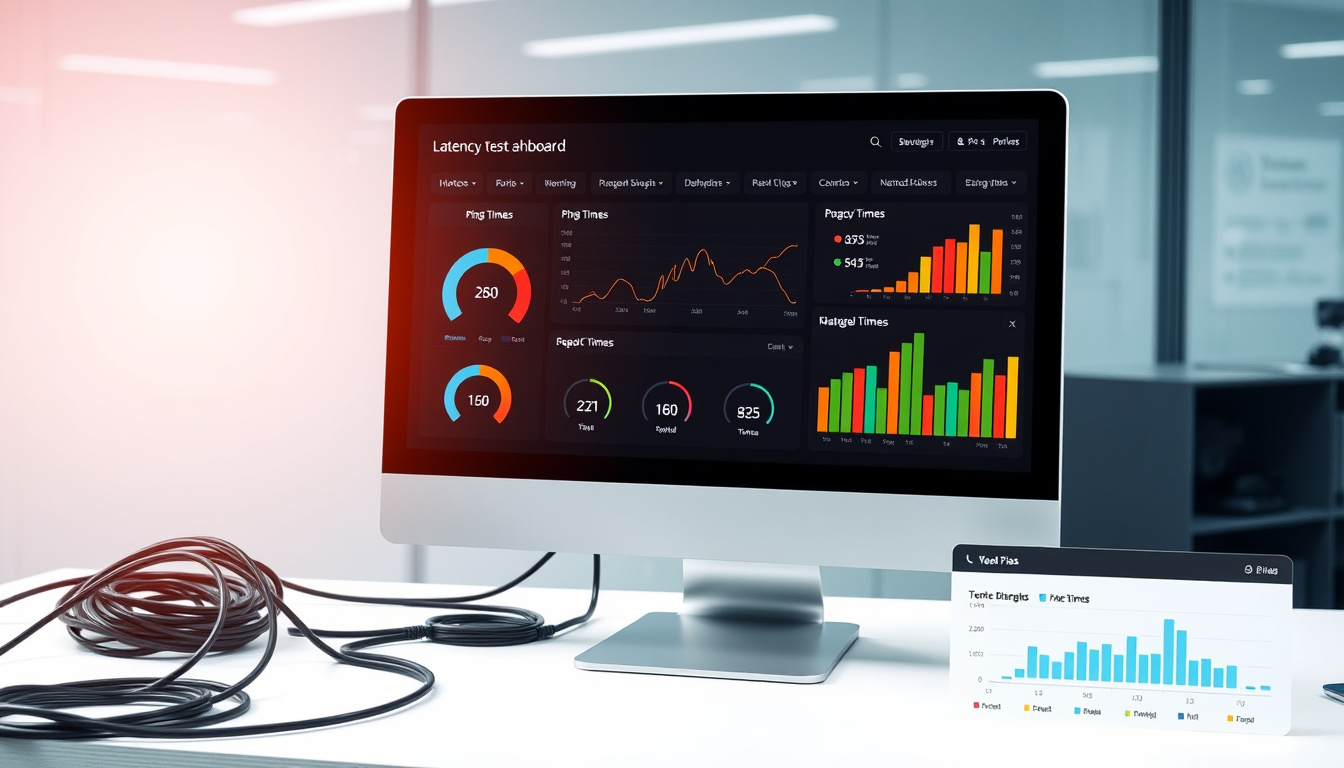
Network latency test results reveal how quickly data travels between your device and a server, measured in milliseconds. Unlike bandwidth, which indicates how much data can be downloaded simultaneously, latency focuses purely on response time. This distinction matters significantly for activities requiring real-time interaction, from competitive gaming to video conferencing. Understanding what a latency test measures helps users diagnose connectivity issues and optimize their internet experience for specific applications.
When you run a latency test, the tool sends small data packets to a target server and measures how long they take to return. The resulting round-trip time, commonly called ping, provides a direct indicator of network responsiveness. High latency causes noticeable delays that disrupt smooth gameplay, create audio sync problems during calls, and make interactive applications feel sluggish. Modern testing tools go beyond basic ping measurements to capture jitter, packet loss, and other factors affecting connection quality.
What Is a Latency Test?
- Latency measures delay, not speed—a fast connection can still have high latency if routes are inefficient
- Ping results vary depending on the target server location and current network traffic
- Jitter, the variation in latency over time, affects stability even when average ping looks acceptable
- Wireless connections typically exhibit higher and less consistent latency than wired Ethernet
- Packet loss often accompanies high latency, compounding connection quality problems
- Cloud gaming and video calls depend heavily on low latency for real-time responsiveness
- Standard speed tests measure bandwidth but may not accurately reflect latency performance
| Use Case | Ideal Latency | Tolerable Range | Poor Performance |
|---|---|---|---|
| Competitive Gaming | Under 30ms | 30-60ms | Above 100ms |
| Cloud Gaming | Under 20ms | 20-50ms | Above 100ms |
| Video Conferencing | Under 60ms | 60-100ms | Above 200ms |
| Streaming Media | Below 150ms | 150-250ms | Above 500ms |
| General Browsing | Below 100ms | 100-200ms | Above 500ms |
How Do You Perform a Latency Test?
Running a latency test requires choosing the right tool for your needs and understanding how to interpret the results. Several methods exist, ranging from simple command-line utilities to comprehensive web-based platforms. Each approach offers different advantages depending on whether you need basic ping information or detailed connection analysis.
Using Command-Line Tools
The most direct method involves opening your operating system’s terminal application and running the built-in ping command. On Windows, access the Command Prompt; on macOS or Linux, open Terminal. Type ping followed by a domain name or IP address, such as ping google.com or ping 8.8.8.8. The command sends multiple packets and displays round-trip times for each, along with statistics showing minimum, average, and maximum latency. This approach works without internet browsers and provides consistent baseline measurements.
Web-Based Testing Platforms
Web testers offer graphical results and test against multiple server locations. Platforms like ping-test.net display ping times alongside jitter measurements and flag potential packet fragmentation issues. Ping Test Live connects to over 100 game servers worldwide, making it particularly useful for identifying optimal gaming servers. Services like meter.net use WebSocket technology for precise measurements, targeting sub-50ms results as the optimal threshold. Cloudflare Speed Test provides overall network performance analysis including latency alongside bandwidth metrics.
Mobile and Application-Based Tools
Dedicated applications extend testing capabilities to mobile devices and provide specialized gaming features. The Ping Tool Gaming app for Android supports both ICMP and TCP ping methods, tracks packet loss statistics, and works across Wi-Fi, 5G, and LAN connections. Many modern games include built-in latency displays, showing real-time ping to current servers. Testing multiple times across different hours helps establish baseline performance and identify patterns related to network congestion.
Close bandwidth-heavy applications before testing, connect via Ethernet when possible, and target servers geographically close to your location for the most accurate results. Repeat tests at different times to account for network congestion during peak hours.
What Is Considered Good Latency?
Acceptable latency thresholds depend entirely on how you use your internet connection. Activities requiring real-time interaction demand far stricter latency limits than passive content consumption. Understanding these benchmarks helps you determine whether your connection meets the requirements for specific applications.
Gaming Performance Thresholds
Competitive multiplayer games require the lowest latency values to maintain fair gameplay. Players experience excellent performance under 20ms, with very good results between 20ms and 50ms. The range from 50ms to 100ms remains playable but introduces noticeable delays in fast-paced titles like Fortnite, Valorant, or Counter-Strike 2. Connections exceeding 100ms create significant disadvantages in competitive environments, causing actions to register after opponents have already responded.
Cloud gaming platforms such as GeForce Now and Xbox Cloud Gaming operate with similar requirements, though the streaming component adds additional sensitivity. Ideal performance sits below 20ms, very good results fall between 20ms and 50ms, and anything above 100ms produces unacceptable input lag and visual stuttering. The remote nature of cloud gaming makes low latency especially critical since every action must travel to remote servers and back.
Communication and Streaming Standards
Video conferencing applications like Zoom and Microsoft Teams function adequately with latencies under 60ms for real-time conversation. Results up to 100ms remain tolerable for most business communications. Higher values cause noticeable audio delays, awkward conversation timing, and reduced meeting productivity. According to Premier Broadband’s network latency research, video calls tolerate higher latency than gaming because humans naturally compensate for minor conversational delays.
Streaming video content and general web browsing depend less heavily on latency since these activities primarily require sufficient bandwidth. Results below 150ms support smooth streaming and responsive browsing. The buffering systems used by platforms like YouTube and Netflix compensate for moderate latency variations, making bandwidth the more critical factor for these use cases.
Jitter measures latency variation between measurements. Consistent latency of 50ms often performs better than an average of 30ms with frequent spikes to 100ms. Quality testing tools display jitter as charts where stable performance shows as flat lines.
What Causes High Latency?
Multiple factors contribute to elevated latency, ranging from physical distance to equipment limitations. Identifying the specific cause helps target troubleshooting efforts effectively. Network latency naturally increases with distance, making geographically remote servers slower to reach than local ones. A connection from Europe to Japan will always exhibit higher ping than communication within the same city, regardless of network quality.
Internet Service Provider and Routing Issues
Your ISP’s network infrastructure plays a critical role in latency performance. Outdated equipment, inefficient routing paths, and network congestion all increase delays. During peak usage hours, traffic accumulation across shared infrastructure creates bottlenecks that manifest as elevated latency. Some ISPs route traffic through unnecessary intermediate nodes, adding milliseconds to every connection. When routing inefficiencies persist, contacting your provider may be necessary to resolve underlying infrastructure problems.
Local Network Factors
The connection type between your device and router significantly affects latency measurements. Wi-Fi introduces wireless interference, signal degradation, and variable delays that wired Ethernet connections avoid entirely. Older routers with outdated firmware may process data inefficiently, creating processing delays independent of internet connection quality. Router placement matters as well—walls, floors, and distance all reduce signal strength and increase retransmission overhead.
Troubleshooting Steps
Resolving high latency involves systematically addressing potential causes. Switching to a wired Ethernet connection eliminates Wi-Fi interference as a variable. Pausing bandwidth-intensive downloads and closing applications that consume network resources reduces local congestion. Updating router firmware and repositioning the device for optimal signal strength addresses hardware-related delays. When testing against distant servers shows high latency, choosing geographically closer alternatives often provides immediate improvement.
If latency remains high after addressing local factors, the issue likely resides with your ISP’s infrastructure or routing paths. Packet loss detection tools built into testing applications can confirm whether underlying connection problems exist beyond simple latency concerns.
The History of Latency Testing
Network latency testing evolved alongside internet infrastructure development. The ping command emerged from the ICMP echo protocol defined in IETF RFC 792, originally developed during the early 1980s as a basic connectivity verification tool. Network administrators used simple echo requests to confirm whether remote systems responded, establishing the foundation for modern latency measurement.
- 1983: ICMP echo protocol formalized as the original ping mechanism for network diagnostics
- Early 1990s: Ping utilities integrated into consumer operating systems for widespread availability
- 2006: Speedtest.net launched, combining latency and bandwidth measurement in accessible web interfaces
- 2010s: Gaming-focused ping testers emerged targeting specific server locations and competitive requirements
- 2020s: Web-based platforms expanded to include jitter measurement, packet loss detection, and multi-region server testing
Modern tools build upon this foundation by adding sophisticated metrics like jitter tracking and packet fragmentation detection. Contemporary platforms analyze connection stability beyond simple round-trip times, providing the granular data that gaming and cloud applications require.
Latency vs Bandwidth: Understanding the Difference
Confusion between latency and bandwidth leads many users to misinterpret connection quality. These metrics measure fundamentally different aspects of network performance, and understanding their distinction helps diagnose actual connectivity problems.
| Characteristic | Latency | Bandwidth |
|---|---|---|
| What it measures | Time delay in milliseconds | Data volume in megabits per second |
| Analogy | Response time of a single letter delivery | Size of the envelope being delivered |
| Primary impact | Gaming, video calls, real-time applications | Downloads, streaming quality, file transfers |
| Typical measurement | Ping test, RTT (round-trip time) | Speed test, download/upload rates |
A connection can have high bandwidth but poor latency, resulting in fast downloads but sluggish interactive response. Conversely, low latency does not guarantee high bandwidth—a connection with instant response times may still struggle with large file transfers. Cloudflare’s network documentation explains how latency affects responsiveness while bandwidth determines capacity, with both metrics necessary for complete connection assessment.
What We Know and What Remains Unclear
Network latency testing provides reliable measurements for specific point-to-point connections, but several factors introduce variability that users should understand.
| Established Information | Variables and Uncertainties |
|---|---|
| Latency measures round-trip delay in milliseconds | Results vary by target server location |
| Competitive gaming requires under 50ms for optimal experience | Perceived quality differs between individuals |
| Wi-Fi connections add latency compared to wired Ethernet | Local network conditions affect results significantly |
| Packet loss often accompanies high latency | ISP infrastructure issues may be temporary or persistent |
No universal threshold defines universally “bad” latency. What constitutes poor performance for competitive gaming may be perfectly acceptable for general browsing. Testing methodology itself introduces variables—time of day, server selection, and testing tool accuracy all influence reported values. Users should establish baseline measurements for their typical usage patterns rather than relying solely on generalized benchmarks.
Real-World Applications and Context
Network latency shapes daily digital experiences in ways that often go unnoticed until problems arise. Professional environments increasingly depend on real-time collaboration tools where latency directly affects productivity. Remote workers conducting video conferences, developers accessing cloud-based development environments, and traders executing time-sensitive transactions all require low-latency connections to function effectively.
Gaming communities have driven much of the development in latency testing tools and benchmarks. Cisco’s networking fundamentals documentation explains how packet-switched networks handle data transmission, providing technical context for why latency varies across different connection types. The distinction between local area networks and wider internet connections matters significantly when evaluating expected performance ranges.
Smart home devices, streaming services, and cloud storage solutions all interact with network latency in various ways. While these applications generally tolerate higher latency than interactive gaming, cumulative delays affect overall system responsiveness. Understanding how latency impacts specific use cases helps users prioritize troubleshooting efforts appropriately.
Expert Perspectives on Network Latency
Network engineers emphasize that latency measurement provides essential diagnostic information that standard speed tests cannot capture. The round-trip time between your device and a server reveals the responsiveness of your connection regardless of bandwidth capacity.
Latency is the time it takes for a data packet to travel from your device to a server and back again. While bandwidth determines how much data can travel at once, latency determines how quickly that data arrives.
Industry documentation highlights the importance of considering both metrics when evaluating network performance. Speed tests often emphasize bandwidth measurements, but users experiencing lag despite high download speeds frequently discover latency problems through targeted testing.
The ping command uses ICMP echo packets to measure round-trip time and determine whether a remote host is reachable. This basic diagnostic remains essential for network troubleshooting decades after its introduction.
Next Steps for Your Connection
Running your own latency tests provides actionable baseline data for optimizing your network setup. Start with a basic command-line ping to google.com or 8.8.8.8 to establish reference values. Compare these results against web-based testers that provide geographically diverse server options. Note how latency varies at different times of day, particularly during evening hours when network congestion typically peaks.
For users interested in measuring their click speed performance alongside network metrics, the Space Bar Clicker CPS Tests tool provides interactive benchmarking. Similarly, understanding how network quality affects online services helps contextualize latency test results within broader digital performance patterns. The Frequent Flyer Program Guide demonstrates how connection reliability impacts time-sensitive online transactions.
Addressing identified latency issues typically begins with simple changes—switching to wired connections, updating router firmware, or repositioning equipment for better signal. If baseline latency remains high despite local optimizations, consulting with your ISP about infrastructure improvements or routing optimizations may be necessary. Regular monitoring helps track whether changes produce meaningful improvements.
What is the difference between latency and bandwidth?
Latency measures the delay in data travel time (milliseconds), while bandwidth measures data capacity (megabits per second). A connection with high bandwidth but high latency downloads files quickly but responds slowly to commands.
What is ping in a latency test?
Ping refers to the round-trip time for a data packet to travel from your device to a target server and back. It is the primary metric reported by latency tests, expressed in milliseconds.
What latency is needed for online gaming?
Competitive gaming performs best with latency under 30ms. Values between 30ms and 60ms remain playable, while anything above 100ms causes noticeable lag that puts players at a disadvantage.
How does Wi-Fi affect latency compared to wired connections?
Wi-Fi connections typically add 5-15ms of latency and introduce variable delays due to wireless interference. Wired Ethernet connections provide more consistent, lower latency results for the same network infrastructure.
Can I test latency on my mobile device?
Yes, dedicated apps like Ping Tool Gaming for Android support mobile latency testing across Wi-Fi, 5G, and LAN connections. Many mobile games also display real-time ping during gameplay.
What causes jitter in latency measurements?
Jitter results from inconsistent latency between measurements, often caused by network congestion, Wi-Fi interference, or equipment limitations. High jitter affects connection stability even when average ping appears acceptable.
How often should I test my network latency?
Regular testing establishes baseline performance and helps identify patterns. Test during different times of day and after making network changes to measure their impact accurately.
Related stories





Liam O'Brien covers Australian politics and public affairs for Australia Watch.