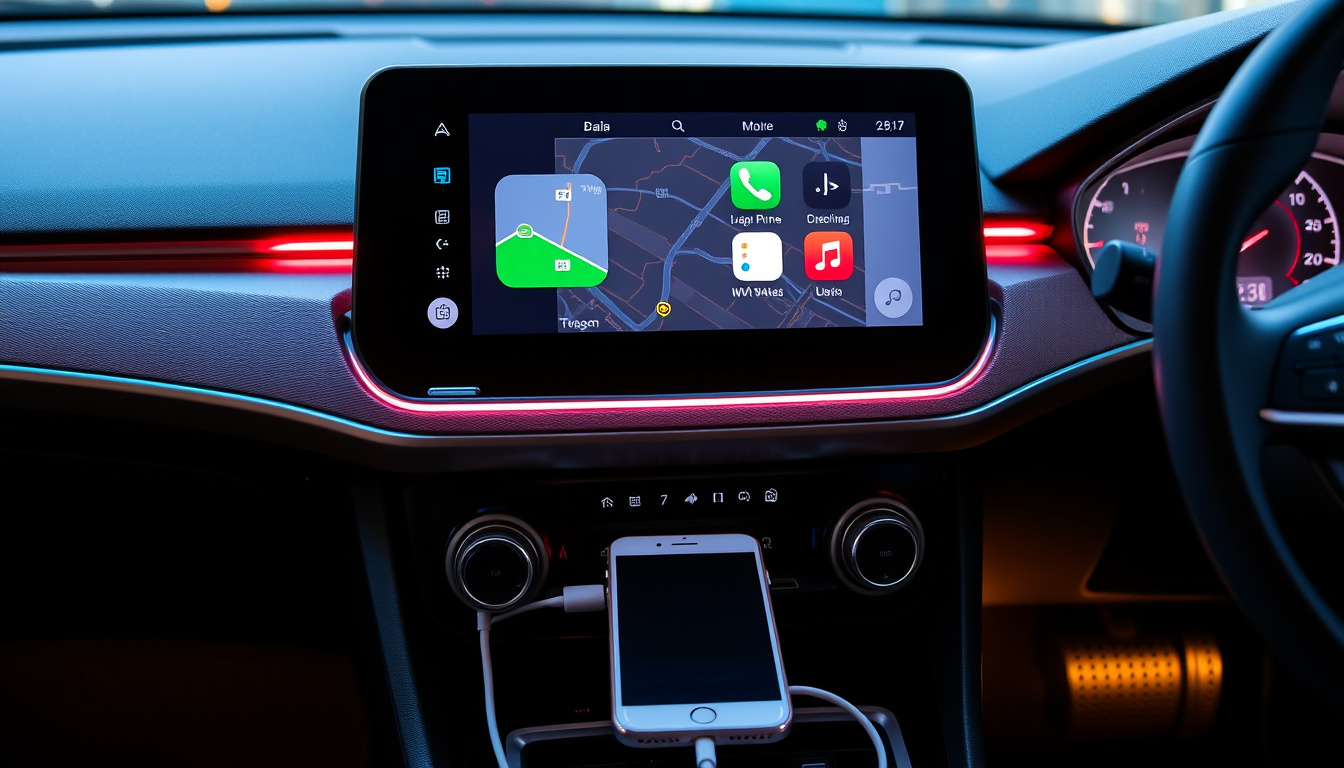
Apple CarPlay delivers seamless iPhone integration on your dashboard, but GM’s 2023 phase-out announcement means millions of EV buyers now face an uncertain future. This guide covers every realistic path forward — from wired setup to the open-source workaround that emerged as the only remaining option for GM owners locked out of the feature.
Compatible iPhones: iPhone 5 and later · Connection Options: USB port or wireless · Key Functions: Directions, music, calls · OEM Example Shift: GM phasing out · Aftermarket Availability: Radios and upgrade boxes
Quick snapshot
- CarPlay launched in 2014 as Apple standard for iPhone-to-head-unit display (Wikipedia)
- How many EV buyers purchased vehicles specifically for CarPlay before GM’s 2023 announcement
- GM’s full CarPlay phase-out begins in 2028 with the Cadillac Escalade IQ (Car and Driver)
- Aftermarket retrofit providers and open-source solutions fill gaps left by OEM pullbacks
The following specification table summarizes CarPlay’s core characteristics based on Apple’s official documentation and manufacturer sources.
| Specification | Detail |
|---|---|
| Launch Year | 2014 |
| Developer | Apple |
| Min iOS Device | iPhone 5 |
| Display Method | Car head unit |
| Connection Types | USB (wired) and Bluetooth/Wi-Fi (wireless) |
| Core Features | Navigation, music streaming, hands-free calls |
| Cost | Free with compatible iPhone and vehicle |
| Android Alternative | Android Auto (separate platform, no cross-compatibility) |
How do I get my Apple CarPlay?
Getting Apple CarPlay working comes down to three steps: confirming your vehicle supports it, choosing a connection method, and enabling the feature in your iPhone settings.
Check vehicle compatibility
Most vehicles sold from 2016 onward include Apple CarPlay either standard or as an option. You can verify your specific car through the manufacturer’s website or your owner’s manual. Apple maintains a publicly available list of CarPlay-compatible vehicles on its website.
“Set up CarPlay by connecting your iPhone and your vehicle using your vehicle’s USB port or its wireless capability. CarPlay will appear automatically on your car’s display when the iPhone is connected.”
— Apple Support documentation
Connect via USB
The most reliable method uses a physical USB cable. Plug your iPhone into the vehicle’s USB port — typically labeled with a smartphone icon — and CarPlay should launch automatically on the infotainment screen. Apple Support documents this as the standard setup procedure for vehicles equipped with wired CarPlay. A high-quality Lightning cable reduces connection failures and lag.
Enable wireless CarPlay
For vehicles with wireless capability, pair your iPhone via Bluetooth first, then follow the prompts to complete Wi-Fi pairing. Apple Support confirms that wireless CarPlay works alongside Bluetooth when both are enabled in your iPhone settings. Not all head units support wireless mode — if your vehicle only shows USB options, the hardware likely lacks Wi-Fi CarPlay.
Can I install Apple CarPlay myself?
The answer splits into two worlds: vehicles that never had CarPlay, and the complicated landscape that opened when GM shut down the only authorized retrofit solution for its newest electric vehicles.
Factory vs aftermarket options
If your car came with CarPlay from the factory, no installation is needed — it activates when you connect. For vehicles that never shipped with smartphone integration, options exist but require hardware upgrades.
DIY upgrade kits
The WAMS (White Automotive & Media Services) retrofit kit launched in March 2025 as the only authorized CarPlay solution for GM’s Ultium-based electric vehicles, covering the Chevrolet Blazer EV, Equinox EV, Silverado EV, GMC Sierra EV, and 2025 Cadillac Lyriq. The Drive reported that the kit added both wired and wireless CarPlay without overriding factory features like EV route planning. The kit displayed information across the touchscreen, digital instrument cluster, and head-up display.
“CarPlay is an Apple standard that enables a car radio or automotive head unit to be a display and controller for an iOS device. The connected iPhone handles the processing while the vehicle’s display provides the interface.”
— Wikipedia’s CarPlay technical overview
GM forced WAMS to stop selling its retrofit kit in March 2025 — just five months after launch — citing safety concerns and potential conflicts with future software updates. LaFontaine Chevrolet in Plymouth, Michigan was the only authorized installation center in the United States. Now, no factory-authorized path exists for GM EV owners wanting CarPlay.
Professional installation in Dublin
For older GM vehicles without CarPlay, retrofitting requires more than swapping a radio. White Auto and Media (the parent company behind WAMS) notes that factory HMI modules in 2014-2018 GM vehicles with 8-inch IO5 or IO6 infotainment systems are not natively CarPlay-capable — hardware replacement is mandatory. Full integration requires swapping the HMI, radio, and instrument cluster together; steering wheel controls, Siri activation, and voice commands all depend on the instrument cluster replacement working properly.
For Irish customers, GM Navigation recommends a VIN check before assuming compatibility — option code I03 vehicles from 2014-2018 require upgrades to I0B, I05, or I06 before CarPlay will function. Independent specialist installers like those found through car audio forums handle these retrofits, though the work involves wiring, module programming, and recalibration.
An open-source hack potentially brings wireless Apple CarPlay to GM EVs as of December 2025, according to GM Authority. The catch: it requires technical proficiency to implement, only works for Apple CarPlay (not Android Auto), and may conflict with future GM software updates that could disable or break the workaround.
What are the disadvantages of using Apple CarPlay?
Apple CarPlay is genuinely useful, but it carries real trade-offs that matter depending on your situation — and some of those trade-offs are driving the OEM pullback story.
Distraction risks
CarPlay puts smartphone functionality on your dashboard screen, which means glancing at maps, scrolling playlists, or handling calls all happen while you’re piloting a two-ton vehicle. Safety advocates have flagged smartphone-integrated infotainment as a cognitive distraction risk. CarPlay’s voice command design mitigates some of this, but the touchscreen interface still competes for attention that belongs on the road.
Dependency on iPhone
CarPlay requires your iPhone as the brain. If your battery dies, you lose navigation and music until you find a charger. Switching to an Android device means abandoning CarPlay entirely — there’s no cross-platform compatibility. For households with mixed phone ecosystems, only one person gets seamless integration.
OEM phase-outs
As carmakers shift toward proprietary platforms, CarPlay availability is becoming a model-year lottery. Car and Driver confirmed that GM CEO Mary Barra explicitly stated on The Verge’s Decoder podcast that the company plans to eliminate CarPlay and Android Auto from all future models regardless of powertrain. The rationale, per The Drive, is that GM doesn’t want to build driver-assistance features dependent on customers having a working cellphone.
Surveys show approximately 85% of car buyers want Apple CarPlay and Android Auto features — yet the industry is moving in the opposite direction. For buyers who specifically chose EV models expecting CarPlay inclusion, the 2023 announcements created a gap between expectation and reality that no official GM retrofit has since filled.
Why are cars getting rid of Apple CarPlay?
The GM story is the most visible chapter, but it reflects a broader industry calculation about who controls the driving experience.
GM’s decision details
GM announced in April 2023 that it would remove Apple CarPlay and Android Auto from upcoming electric vehicles, then expanded that to internal combustion vehicles as well in December 2023, per Motus. The full transition to eliminate both platforms starts in 2028 when GM debuts its new centralized computing hardware — with the 2028 Cadillac Escalade IQ as the debut vehicle, according to Car and Driver. The replacement is Google’s Built-in platform (Android Automotive OS), which gives GM full control over data collection, app revenue, and the user experience without Apple or Google as intermediaries.
Industry trends
GM isn’t alone in this direction — Tesla has never supported CarPlay or Android Auto, building its own ecosystem instead. The trade-off is clear: automakers gain revenue opportunities and data control, while consumers lose the seamless phone integration they’ve come to expect. GM Navigation notes that OEM-style retrofit kits enable CarPlay and Android Auto on older vehicles that originally lacked these features, creating an aftermarket that exists precisely because the factory option is disappearing.
Potential replacements
For vehicles removing CarPlay, the alternatives are Google Built-in (for Android users), manufacturer-specific apps, or standalone GPS units. None match CarPlay’s deep iPhone integration. The open-source hack for GM EVs represents a community response to this gap — but it’s a workaround, not a replacement, and requires technical comfort to implement.
Do I need an app for Apple CarPlay?
No separate download is required for the core experience — CarPlay uses apps already installed on your iPhone.
Built-in iOS support
Apple built CarPlay directly into iOS since iOS 7 (2013) — it activates when you connect a compatible iPhone (5 or later) to a CarPlay-equipped vehicle. There’s no App Store purchase, no subscription, and no separate activation fee. Apple Support confirms that CarPlay “just works” once your iPhone recognizes the connection to a compatible vehicle’s USB port or wireless system.
Supported apps list
Apple’s CarPlay interface presents a curated set of iPhone apps optimized for driving: Apple Maps (or alternatives like Waze and Google Maps), Apple Music or Spotify, Phone and Messages, Podcasts, and audiobooks. Third-party apps including navigation services, messaging platforms, and podcast apps can appear on the CarPlay screen if they’re designed to support CarPlay’s interface guidelines.
Toyota example
Toyota, one of the largest adopters of CarPlay among traditional automakers, offers the feature across most of its model lineup. Wikipedia’s CarPlay overview notes that the system uses the vehicle’s head unit as essentially a display and controller for the iPhone, meaning the actual processing happens on your phone — the car just mirrors the interface. This is why CarPlay works identically whether you’re in a Toyota Camry, a Chevrolet Silverado, or a BMW 5 Series.
For most users, Apple CarPlay costs exactly nothing extra beyond the device and data plan they already pay for. The feature uses your existing cellular connection for streaming and navigation, so if CarPlay is a deciding factor for you, any equipped vehicle from any manufacturer works — there’s no ecosystem lock-in to a particular brand.
Upsides
- Free with any compatible iPhone and vehicle
- Seamless phone integration: maps, music, calls in one place
- Voice control via Siri reduces physical distraction
- Works across dozens of manufacturers and models
- No separate data plan — uses your phone’s connection
- Regular iOS updates add features without hardware changes
Downsides
- Requires iPhone — Android users excluded entirely
- Phone must be charged and functioning to use navigation
- Touchscreen and voice interfaces still create cognitive load
- OEMs including GM are phasing it out of new vehicles
- No official retrofit path for affected GM EVs since March 2025
- Wireless mode drain on phone battery during longer drives
Related reading: BYD Shark Review · Hyundai Ioniq 6 Review
Aftermarket options demand careful review of CarPlay compatibility and costs guide to confirm your vehicle’s fit and budget the upgrade alongside wireless setups.
Frequently asked questions
What does Apple CarPlay do in a car?
Apple CarPlay mirrors your iPhone’s key functions onto the vehicle’s infotainment screen. You get Apple Maps or alternatives for navigation, music and podcast streaming, hands-free phone calls, and voice messaging — all controllable via the car’s touchscreen, steering wheel buttons, or Siri voice commands. The head unit acts as the display; your iPhone handles the processing.
How do I activate CarPlay on my iPhone?
Connect your iPhone to the vehicle’s USB port (or pair via Bluetooth for wireless vehicles), then follow any prompts that appear. On your iPhone, go to Settings → General → CarPlay to manage connected vehicles and set your preferred apps. Apple Support documents the full setup procedure for both wired and wireless configurations.
Is Apple CarPlay free?
Yes. CarPlay itself costs nothing. You need a compatible iPhone (5 or later) and a CarPlay-equipped vehicle — once those requirements are met, activation is free. Some third-party apps within CarPlay may have their own subscription costs, but the platform itself carries no fee.
What will replace CarPlay?
For GM vehicles after 2028, Google’s Built-in platform (Android Automotive OS) is the factory replacement. For other automakers, proprietary in-vehicle systems are the direction. For GM EV owners who want CarPlay now, an open-source workaround exists but requires technical implementation. Aftermarket head units from Pioneer, Alpine, and Sony remain CarPlay-compatible for vehicles without factory integration.
How do I turn my iPhone into CarPlay?
You don’t “turn your iPhone into” CarPlay — it’s a feature your iPhone already has if you’re running iOS 7 or later. Simply connect to a CarPlay-equipped vehicle, and the interface appears automatically. There’s no configuration, no app download, and no special mode to enable. If your car lacks CarPlay hardware, a retrofitted head unit or upgrade box is required.
What is Apple CarPlay?
Apple CarPlay is an Apple standard that enables a car’s infotainment system to display and control iPhone apps. Wikipedia describes it as a way for the vehicle head unit to serve as a display and controller for a connected iOS device. It launched in 2014 and now appears across nearly every major automaker’s lineup.
Does Apple CarPlay work with Android?
No. Apple CarPlay is exclusively for iPhones running iOS. Android devices use Android Auto, a separate Google platform that doesn’t cross over with CarPlay. If your household has both iPhone and Android users, only the iPhone user gets seamless integration in CarPlay-equipped vehicles.
Does Apple CarPlay require internet?
CarPlay uses your iPhone’s cellular data connection for streaming music, podcast updates, and real-time navigation. Offline maps (downloaded through Apple Maps before a trip) work without data, and any locally stored music plays without internet. Siri voice commands, messaging, and call functions require either cellular or Wi-Fi to function fully.

Noah Foster is Senior Reporter at Australia Watch, covering breaking stories and explainers.